How to play
OriginForge Connect is a free online pixel RPG you play in your browser, on a computer, tablet or phone. Explore the realm, take on quests, learn skills, build and furnish your home, learn to code and start a business, with other players around you. Here's everything you need to know. The same guide is in the game: press the ? button.
Getting started
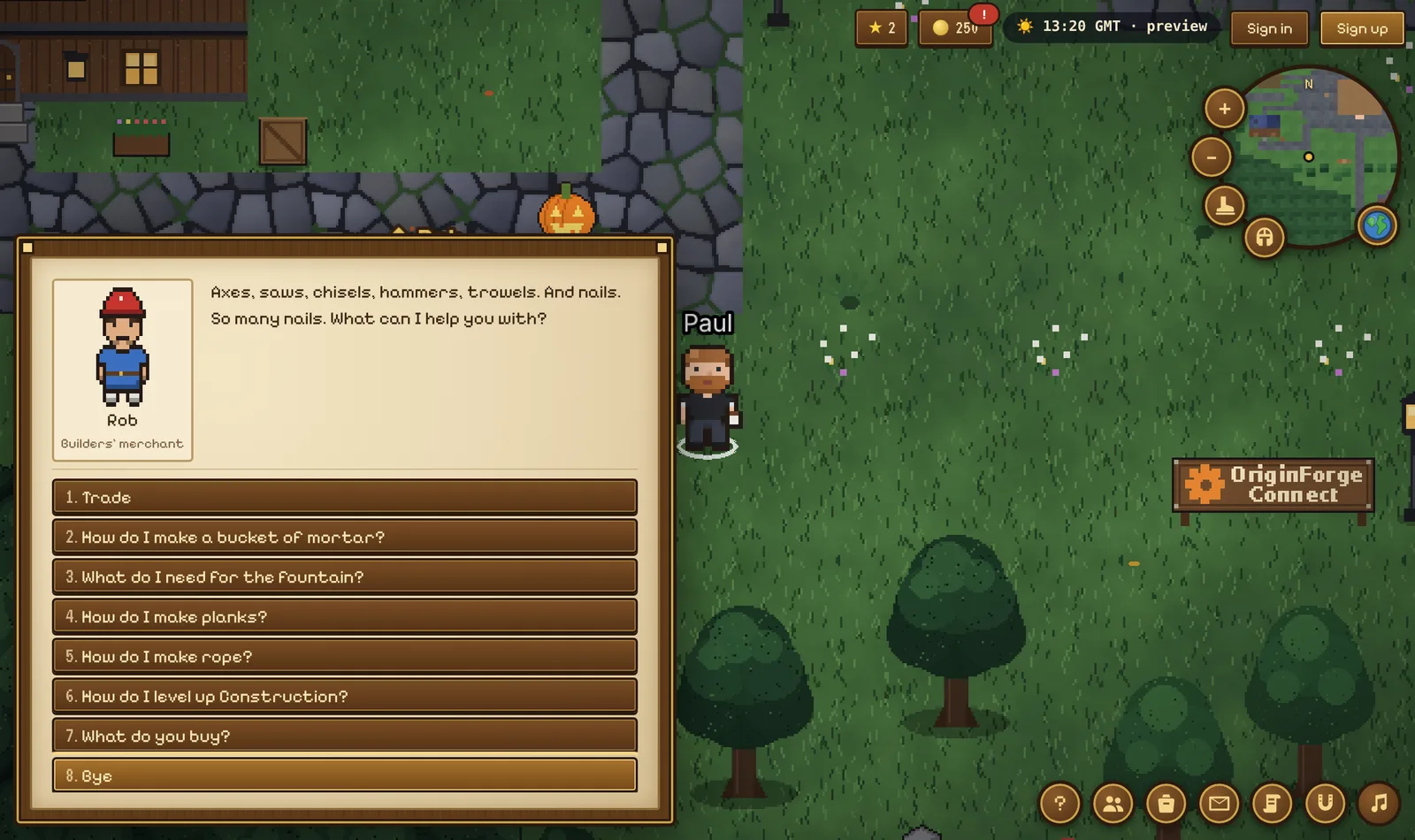
Click or tap the ground to walk there. Click people to talk to them, and things to use them.
Villagers with a gold ! have a quest for you; a ? means they want to hear back. Ada, by the village sign, has your first one.
The gold arrow by your character shows the way to your current quest, and says where it is. Tap the arrow to walk all the way there. Press Q for your quest log.
Everything you do earns coins and skill points. Save up for a home of your own: no need to pay a thing.
Guests can play everything; sign up (free) to keep your progress, chat and own a home.
The ♫ button opens the Sound window: turn sound on or off, and set the volume of the music, the weather and the sound effects separately.
Back to the top ▲Finding your way (the map)
The round map, top right, shows what’s around you. Click or tap it to walk there (a red cross marks the spot). The globe beside it, or M, opens the world map. + and − zoom, and the boot runs.
On the world map, the Show: switches in the key put shops, mining, fishing, foraging and digging spots on the map (and turn place names on or off). Tap an icon to see what’s there.
Tap anywhere on the world map to set a waypoint: a gold flag, and the arrow points to it. Walk here walks you there. It goes when you arrive.
Walk home takes you all the way to your house, once you have one.
Outdoors, zoom right out (the − button, or the − key) for a wider view on a long journey.
The village is in the middle of the realm. Frosthold is north over the mountains, Ravenhold west, Sunreach in the eastern desert, Riverside and Gullwater Bay south, and Lantern Isle across the causeway in the north-west.
A free ferry runs from the end of the Gullwater pier to Gull Rock: talk to the ferryman.
Every building opens: walk into any hut, fisher’s shack, log cabin, sandstone house, the Longhouse, the Sun Temple, the Watermill, the Lighthouse, the windmill or the barn. Each has an old chest: once a day, one of them holds coins (a different building each day). Open an empty one and the village gossip tells you where today’s is.
Back to the top ▲Mining (copper, tin, iron, coal, gold, gems)
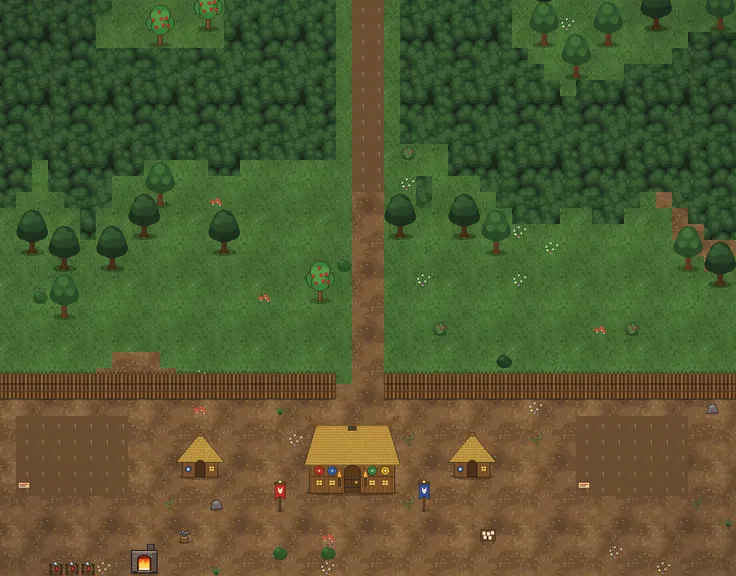
You need a pickaxe. Gunnar the smith in Ravenhold gives you one with his quest "Ore for the Forge", or buy one from Mabel at the Trading Post in Riverside (80 coins).
Then click a rock to mine it. Red Rock Canyon (north of Sunreach) has copper, tin, iron, coal, gold and gem crystals; the Old Copper Mine (in the foothills north-west of the village) has copper, tin, iron and coal. Coal needs Mining 25.
The mines open: walk into the mine entrances at the Old Copper Mine and Red Rock Canyon. Inside are caves full of rocks (copper, tin and coal in the Old Copper Mine; iron, coal, gold, gems and tin at Red Rock).
OriginForge ore (members): in the deepest chamber of Red Rock Mine the rock glows orange. Members at Mining 70 can mine it. Smelt it with 2 coal into OriginForge bars at Smithing 70, and smith the best gear in the game: charcoal-black plate with glowing orange seams. Wearing it needs Smithing 70 and membership too.
Your character swings the pickaxe a few times (you hear each strike, and everyone nearby sees you at it), then the rock gives up its ore. Walk away mid-swing to stop: nothing is used up. If you are riding, you hop off to mine and back on after.
Each ore looks different: copper has orange nuggets, tin pale white ones, iron silvery ones, coal black lumps, gold glints yellow, and gems are violet crystals. Rocks that sparkle have something in them for you. Each rock refills after a few minutes. Your Mining skill goes up as you go (press C).
Sell ore and gems to Gunnar or Dusty (they pay more), or to Mabel.
On the world map (M), switch on Mining to see every place to mine. A better pickaxe (made at the anvil) mines faster.
Back to the top ▲Smithing (furnace, anvil, bars, armour)
Gunnar's furnace and anvil are in Ravenhold, by the training yard. His quest The Smith's Apprentice shows you how, and gives you a smithing hammer (or buy one from Gunnar or at the Trading Post, 50 coins).
Smelting: click the furnace and pick a bar. Bronze = 1 copper ore + 1 tin ore. Iron = 1 iron ore (Smithing 15). Steel = 1 iron ore + 2 coal (Smithing 30). OriginForge (members) = 1 OriginForge ore + 2 coal (Smithing 70). Make 1, 5 or all you can; walk away to stop.
Smithing: click the anvil (you need the hammer), pick a metal and what to make: dagger, pickaxe, sword, helmet, shield, leg armour, battle axe or chestplate. Bigger things take more bars and a higher Smithing level. You hammer away for a few seconds, and everyone nearby sees you at it.
Everything you make goes in your bag, gives Smithing XP (press C), and sells to Gunnar for more than the bars in it.
Furniture: the anvil's Furniture tab makes a weapon rack, an iron candlestick and an armour stand for your home. Make each once and it's in your house builder for good.
The Longhouse in Ravenhold has its own furnace and anvil too, free for anyone to use.
Gunnar's orders: once you've finished The Smith's Apprentice, Gunnar has a daily bar order and a daily armour order, for coins and Smithing XP.
Back to the top ▲Equipment (wearing armour and tools)
The helmet button under the run button by the minimap (or E) opens your Equipment: head, body, legs, weapon, shield and tool.
Click Wear on anything in your bag to put it on (it comes out of your bag), and click a worn thing to take it off again.
Everyone sees what you wear: your helmet, chestplate and leg armour, the sword or axe in your hand (or, with no weapon, the tool you have put in your hand) and the shield on your arm.
The tool in your hand is the one you use: a better pickaxe mines faster. With none in your hand, your best pickaxe in your bag is used, so you never have to wear one.
Armour and weapons are ready for when combat arrives.
Capes: reach level 100 in a skill and you earn its cape (wear it from Equipment) and a title for your profile, like Master Smith.
Back to the top ▲Fishing
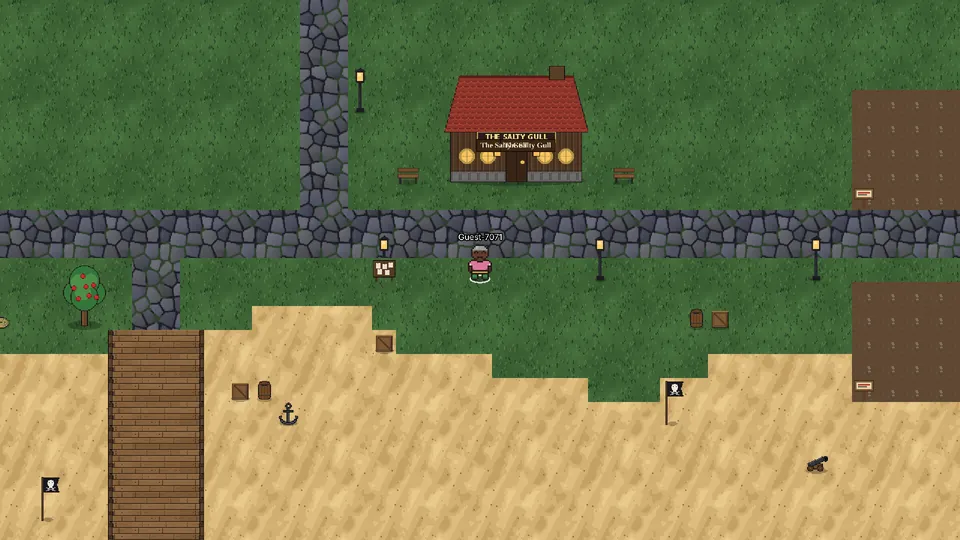
You need a rod. Finn, by the village pond, gives you one (and some bait) with his quest "Gone Fishing", or buy one from Mabel at the Trading Post (40 coins).
Click water to cast. When the float dips and a ! appears, click to strike (not on a nibble).
Fish bite sooner in the rain. Keep an eye on the sky.
Every water has its own fish: the village pond, the rivers, the sea, the Sunreach oasis, the frozen lake in Frosthold (fish through the ice holes), Mirror Lake, Smugglers’ Cove and Coral Point. Bait brings bites sooner and rare fish more often.
Sell fish to Finn (he pays more) or Mabel. On the world map, switch on Fishing.
Back to the top ▲Foraging
No tool needed: click berry bushes, mushrooms, glowcaps, apple trees, pines, palms, cactus and shells on the beach.
Feathers, herbs and apples lie on the ground under trees and by the reeds: you can see them. Click one and choose whether to pick it up. New ones turn up every 20 minutes.
Each spot refills after a few minutes. Sell to Zara in Sunreach or Old Moss in the Whispering Woods (they pay more), or Mabel.
On the world map, switch on Foraging.
Back to the top ▲Digging for treasure
You need a spade: Captain Redbeard in Gullwater Bay gives you one (with a treasure map) in "X Marks the Spot", or buy one from Mabel (60 coins).
Stand on sand and press G (or use the spade from your bag, B). On a phone, hold the spade (equipment, E) and tap the sand to dig there. On a digging quest, tap the gold arrow or the red marker: you walk there and dig.
Beaches give shells, old coins, bottles and doubloons; Smugglers’ Cove is best for treasure; the desert has desert roses and relics.
Sell treasure to Redbeard or Nell. On the world map, switch on Digging.
Back to the top ▲The Pond Singers
Six little monsters live round the village pond, between the houses near the Business School: Bubbloo, Croakle, Fizzwick, Thrumble, Peeplet and Twinklet.
Click one and it sings its note, from Bubbloo’s deep C up to tiny Twinklet’s high C. Click them in turn to play your own tunes: every note sounds good together.
They know a song of their own, too: the Pond Song. It starts with the deepest voice. Get the first notes right and the next singer gives a little hop to show you the way. Play it all and the whole pond sings it back.
Back to the top ▲Farming
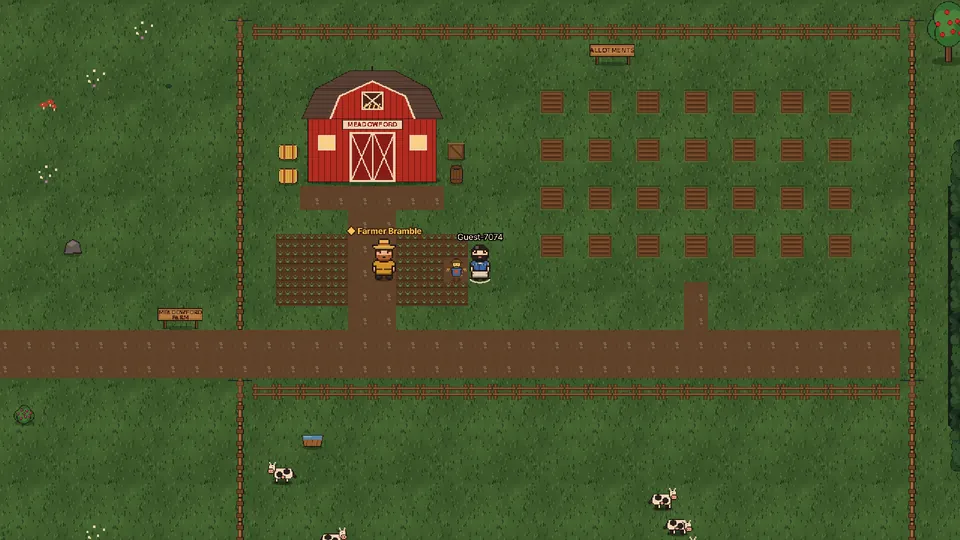
Meadowford Farm is east of Meadowford: follow the dirt track off the South Road. Farmer Bramble sells seeds, buys your crops, and gives new farmers a free handful of seeds to start.
Click a free bed in the allotments and choose seeds from your bag. Crops grow while you play (or don’t): radishes in 2 minutes, pumpkins in 2 hours. Come back when they’re ready and click to pick them, for the crop and Farming XP.
Allotments are free up to Farming level 5, then they’re for members. Everyone can hold up to 4 at once.
Every house has a home garden: four beds in its front yard, always free for its owner. Members’ free homes from Agnes have one too.
Everyone sees every bed: hover over one to see whose it is and how long it has left. Ripe crops left for a day wilt, and then anyone can clear the bed.
Higher Farming levels open new seeds: potatoes (3), cabbages (5), tomatoes (8), corn (12), strawberries (16) and pumpkins (20). Sell crops to Bramble (he pays a bit more) or Mabel.
The cows love a bit of magic: stand by their pen and type :cast-frog cow (any spell you can cast on someone works). It gives Magic XP as usual.
Back to the top ▲Cooking and baking
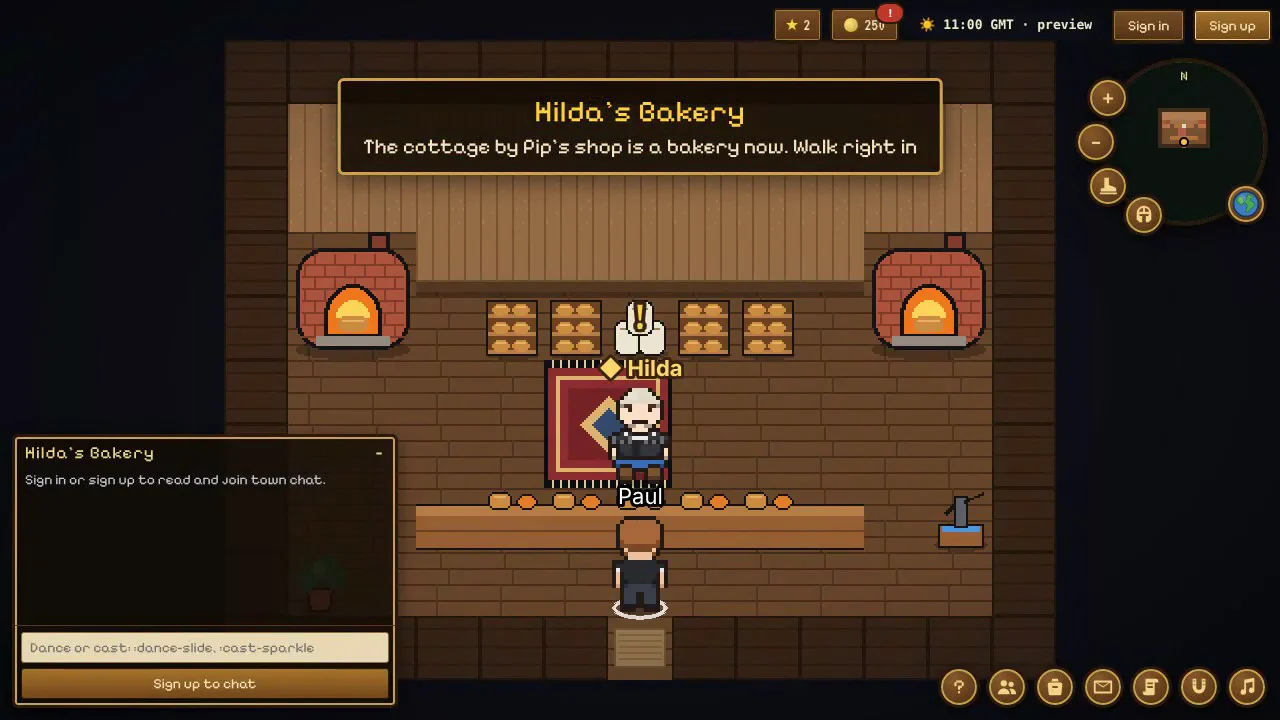
Cook fish on any campfire (Meadowford, Riverside, Gullwater Bay, Frosthold, Ravenhold and Combat Island), at the ovens in Hilda’s Bakery in the village, or on the stove in your home (add it free from your builder: click your bookshelf). Click the fire and choose what to cook.
Baking: talk to Hilda in her bakery (the cottage by Pip’s Coin Shop) and choose Learn a recipe. She teaches you herself: bread first, then baked potatoes, pancakes, stew, pies, tarts and cakes as your Cooking level goes up. Bake at her ovens or your stove.
Ingredients: pick wheat in the field at Meadowford Farm and take it to Miller Hob at the windmill by the farm: he grinds it into flour for free. Fill a bucket at a well (by the farm, in Riverside, at Gullwater Bay, or Hilda’s pump), and milk the cows at the farm (click a cow with a bucket). Eggs, sugar, flour and buckets are sold by Hilda, Mabel and Farmer Bramble.
Food can burn while you’re learning a recipe: less every level, and never once you’re 20 levels past it. Burnt food gives no XP.
What food is for: it sells for more than raw (Hilda pays a bit extra), villagers ask for it, and pies give a few minutes of quicker walking (eat from your bag). On Combat Island, eat up to 3 things in a duel to get health back: the fight panel’s Eat button eats your best food.
Cooking is free up to level 30, like every skill; members go on to 100 and the biggest bakes.
Back to the top ▲Construction and the fountain
Construction is a skill for building things. Get your tools from Rob, the builders’ merchant in the builders’ yard by the Mayor’s Manor (just west of the village square): a woodcutting axe, saw, chisel, builder’s hammer, builder’s trowel and spirit level. He sells nails and sand too.
Woodcutting: with a woodcutting axe in your bag, click a tree to chop it for logs. Saw logs into planks at the sawmill in the yard.
Carpentry: at the carpentry bench, twist flax (from the field by the manor) into rope, weave rugs, and make stools, chairs, benches, tables, shelves, chests and wardrobes. Rob buys everything you make. Members can work marble (mined up at the Summit, north of Frosthold) into benches, tables and busts.
Mortar: at the mortar tub, mix a bucket of water (fill a bucket at any well), two sand and a stone into a bucket of mortar.
Your home counts too: placing or moving furniture and changing your house’s design give a little Construction XP (a few times a day). Anyone who has already built a house starts at Construction 5.
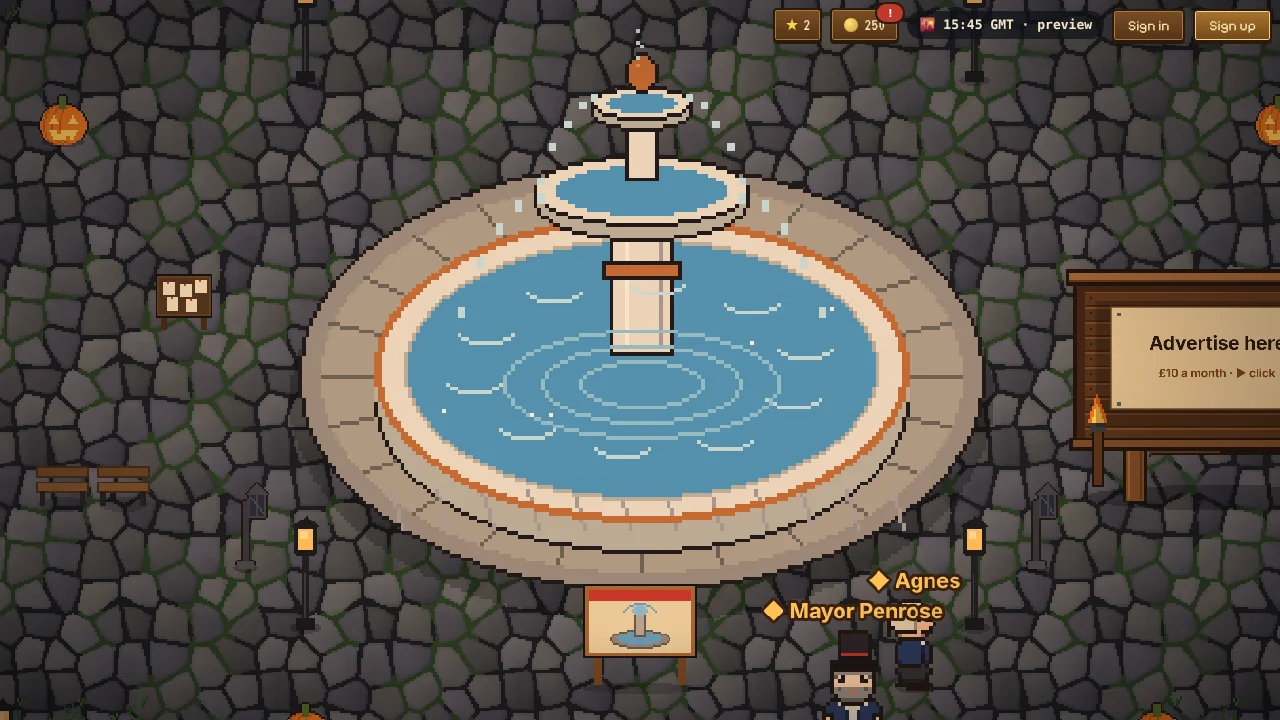
The village fountain: talk to Mayor Penrose (by the site in the square, around the yard, or in his manor) and choose The fountain. Ten builders are needed. Each must be signed in, have Construction 10, pay 1,000 coins, and bring their own 30 stone, 30 copper ore, 30 marble, 20 planks, 40 nails, 10 buckets of mortar and 5 rope, plus all six tools (kept, not used up). Change your mind before it’s built and you get it all back.
Builders’ kit: sign up and you get a hard hat and a hi-vis jacket, yours to keep (wear them from your hats). Then click the building site to walk over and lend a hand with your hammer: everyone sees you working. The fountain grows in the square as builders sign up (foundations, then the basin, then the column) and the water comes on when all ten are in.
Construction is free up to level 30, like every skill; members go on to 100.
Back to the top ▲Trading with other players
Stand near another player, click them and choose Trade with …, then Buy from them or Sell to them. They get asked first; nothing opens unless they say yes.
The seller puts things in from their bag: ore, bars, gems, fish, food, crops, seeds and other resources (not tools, armour, house items or quest items). The buyer says how many coins they’ll pay, or 0 if the seller is happy to give them away.
You both see everything as it changes. Nothing swaps until you both press Accept on the same offer, and if anything changes after you accept, you accept again. Then the things and the coins swap in one go.
Coins only ever go from the buyer to the seller (nobody can just give coins away), there’s no XP for trading, and trading is for signed-in players aged 18 and over.
Back to the top ▲Coins, selling and your bag
You earn coins from quests, the daily reward, achievements, weekly challenges, and selling what you find (up to 800 coins a day).
Mabel at the Trading Post buys everything and sells rods, spades, pickaxes, bait and pie. Specialists pay more: Finn (fish), Gunnar and Dusty (ore and gems), Redbeard and Nell (treasure), Zara and Old Moss (foraged things), Farmer Bramble (crops). Shops are on the world map: switch on Shops.
Press B for your bag and your collection, and C for your skills, coins and achievements. Quest items go in your quest pouch in the bag: they never use a bag slot.
Pip’s Coin Shop (the cottage next to Agnes in the village square: walk in) sells things you keep: furniture for your home, coats for your horse, new paints for your scooter, bike or go-kart, things for your pet to wear, and fancy house looks. Pip and Mabel also sell pet treats: give one from your bag or the Stable and your pet does a trick everyone can see.
Bag full? Nothing is lost: a bush, rock or crop you can’t fit stays where it is for when you’ve made room, and you can’t cast your rod until there’s space for a catch. To make room, sell, stash or drop things: open your bag, pick an item and press Drop. Food, fish, smithed weapons and armour, ore, gems and treasure can be dropped. They lie on the ground for one minute and anyone can pick them up by clicking them (so you can hand things to a friend). Tools and quest items can’t be dropped.
Back to the top ▲Your own home
Buy a plot from any "for sale" sign with coins you’ve earned (you need a free account). Plots are gold squares on the world map.
Members can buy a second home with coins (at its sign, or from Agnes). If membership pauses, the second home closes until you rejoin: it stays yours. With two homes, choose your main one from the Account menu (My homes).
Selling a home bought with coins (once you’ve had it 3 days) goes through Agnes: sell it to her straight away for half what you paid, or list it with her. A "For sale" sign goes up outside, you keep living there, and when another player buys it you get what you paid (25% more once it’s been listed 30 days). Buyers pay her price plus her 10%. Your stash and bag stay yours.
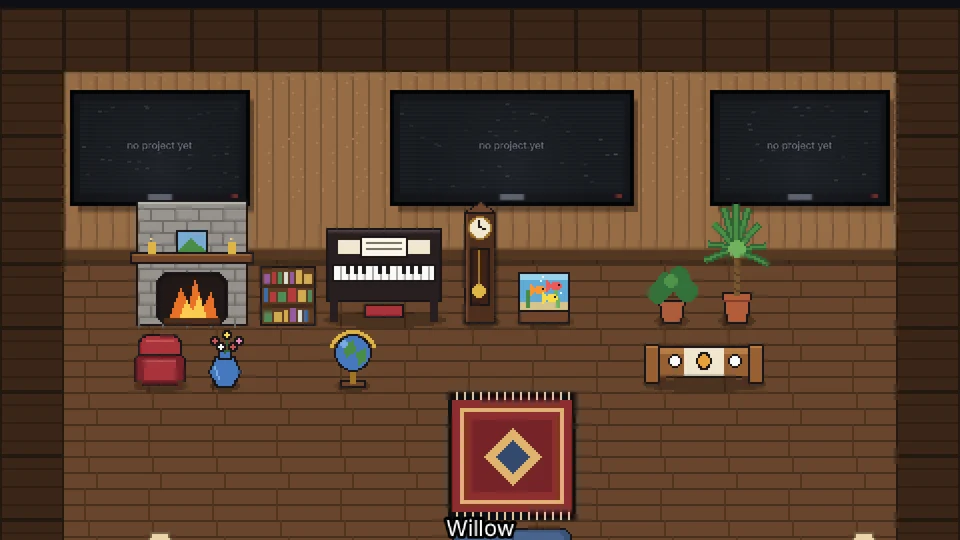
Design your house (style, roof, walls, door, garden) and build it: the first build is free. Then furnish it inside: click the bookshelf to start the builder, and put your projects on the TVs.
Choose who can come in at your front door: open, knock first, or locked.
Every home gets a free stash box: add it in the builder (one per home, downstairs), then click it to keep things there instead of carrying them. 20 slots, or 200 for members. If membership ends, nothing in it is lost.
Members (paying or gifted) can add extra rooms: up to three downstairs and three upstairs, 3,000 coins each. Pick a boxing ring, gym, kitchen, bedroom, bathroom or lounge from the bookshelf (Extra rooms). Train in the gym or on the punch bags for Fitness XP, cook on the kitchen stove, or rest in your bed for quicker walking. In a boxing ring, click another member (18+) and pick Box for a friendly bout: 100 health each, two minutes, nothing at stake, and Fitness XP for both (more for the winner). Get close to land a punch; higher Fitness levels unlock the hook, slip, uppercut, body shot and haymaker. If membership ends, the doors lock and everything is kept.
Add a free visitors’ book too (also in the builder): you can see who’s visited in the last 30 days (only you can see that), and visitors aged 18 and over can leave a short comment. You can delete any comment.
Turn furniture to face another way with the builder’s Turn tool (or T while you’re placing something): free for everyone, any time.
Redesigning the outside and moving furniture after your first build are part of membership. Furniture bought in Pip’s Coin Shop is different: it can be placed and moved any time, in any home, on either floor.
A fancy house look from Pip (Rose Cottage, Seaside, Midnight or Royal) adds its roof, wall and door colours to your House Designer, and comes with one free redesign of your house’s outside, even on a free home.
The Members’ Retreat (members, 5,000 coins from Pip) is a whole new house: a stone cottage with a glass conservatory, flower beds and a hot tub. Pick it in your House Designer. Anyone can click the hot tub to sit in it, bubbles and steam included. If membership ends, the house shows as a cottage until you rejoin: it stays yours.
Back to the top ▲Rides and pets
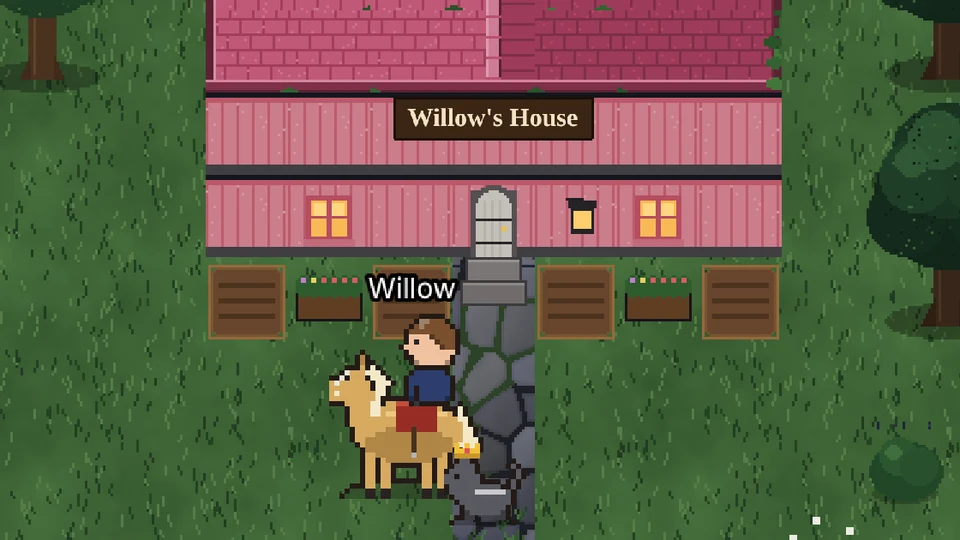
Press H (or the horseshoe button) for the Stable: ride a horse, a horse and cart, a bicycle, a scooter or a go-kart, and pick a pet to follow you.
Press R to run. Your ride, pet and hat are saved with your account, so they follow you to any device.
Coats for your horse (chestnut, black, grey, palomino or white), new paints for your scooter, bike or go-kart, and bows, flowers and hats for your pet are in Pip’s Coin Shop. Choose them in the Stable. Everyone sees them.
Back to the top ▲Your look
Change your hair, clothes and more from the account menu (your name, top right): Change appearance. Free accounts can change their look once every 30 days; members any time.
Girl characters can also wear makeup and jewellery: lipstick, eyeshadow, blush, earrings and a necklace, in gold, silver or rose gold. Change them any time from Makeup & jewellery in the account menu: they never count as your monthly change.
Back to the top ▲Skills and Renown
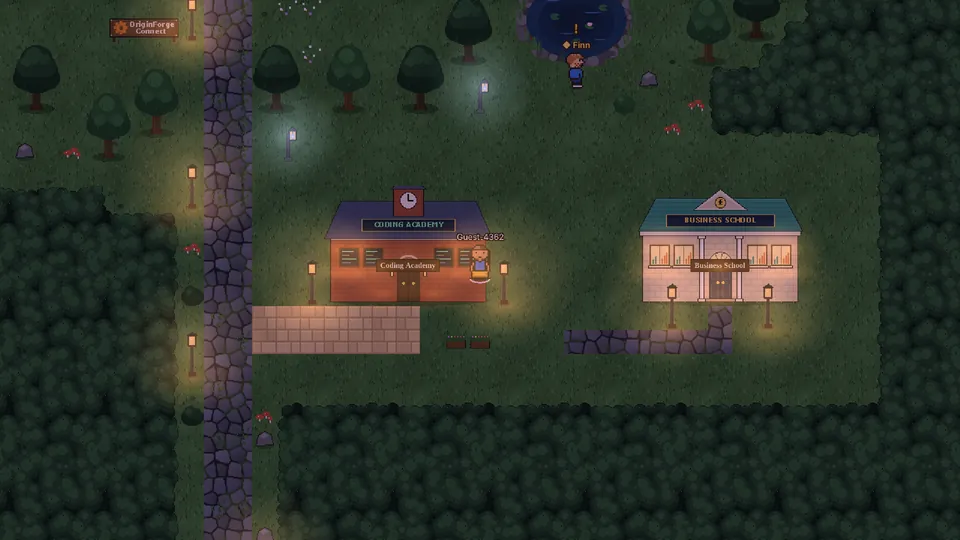
Quests and new places raise your Renown (the ★ at the top). Fishing, foraging, mining, digging, coding, magic, business and farming each have their own skill.
Some quests need a skill level first: the villager tells you exactly what’s missing.
Free accounts’ skills go up to level 30; members carry on to 100. XP you’ve already earned is always kept.
The Coding Academy in the village has free courses (66 lessons): HTML, CSS and JavaScript, then Build Your Website (your own site, ready to download and put online), plus Python, Python: Next Steps and PHP. They raise your Coding skill.
The Business School, next to the Coding Academy, teaches you to start a business: six courses with Mr Forge, from finding a real problem to pricing, money, setting up (with guides for the UK and US) and growing. The first three lessons of every course are free. They raise your Business skill.
Press C to see them all.
Back to the top ▲Rules and conduct
OriginForge Connect is a friendly place for founders, makers and anyone curious. A few simple rules keep it that way:
Be kind. No bullying, harassment, hate, threats or targeting anyone, in chat, messages, names, profiles, screens or adverts.
Keep it clean. Nothing sexual, violent, hateful or illegal anywhere in the game, including your house, TVs and project pages.
No spam or scams. No links in chat, no flooding, no misleading adverts or fake giveaways, and never ask anyone for passwords, payment details or personal information.
Be yourself. Don’t pretend to be someone else, OriginForge, Paul or a villager. Names that do are changed.
Play fair. No cheats, scripts or using bugs to get coins, items or XP. If you find a bug, tell us and it gets fixed.
AI agents and bots need Paul’s permission first. Email contact@originforgestudio.co.uk with the account’s name and who runs it, and wait for a yes. Approved agents follow the same rules as everyone else.
Keep young players safe. Chat and messages are for players aged 18 and over. Never try to contact a younger player privately.
Protect your privacy. Don’t share your address, phone number or other personal details, or anyone else’s.
Breaking these rules can mean a warning, losing chat, or your account being suspended or closed. To report something, message Paul on X (@oimatrixioYT).
Back to the top ▲Chat, friends and safety
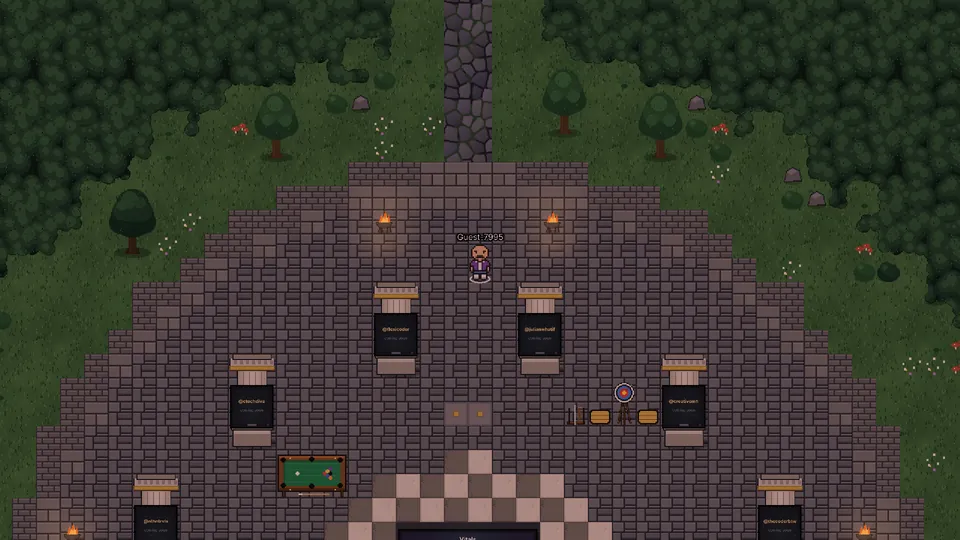
Town chat is for signed-in players aged 18 and over, with a confirmed email. Messages reach players near you. Be kind, and no links.
Press P for private messages: start one from someone’s profile (click them). They have to accept first, and you can block anyone.
Click a player to see their profile, visit their house, or ride along on their cart.
Look around: type ofc.nearby() (or :nearby) in chat to see where you are and who is close by: players and villagers, how far and which way. ofc.nearby.npc() lists every villager in this place, closest first, and ofc.nearby.npc("Agnes") finds one by name. Only you see it.
Dance: type :dance-slide, :dance-zombie (or :dance-thriller), :dance-wave, :dance-spin, :dance-jump, :dance-robot or :dance-floss in chat (it isn’t sent as a message). Everyone near you sees it, and chat says who’s dancing; walk off to stop.
Pool for two: at the Arena’s pool table, click another player and choose Play pool with …. Reds and yellows, then the black: the one who asks breaks, you keep going while you pot your colour, and a foul (the white in, hitting nothing, or the wrong ball first) passes the go. Pot the black after your colour to win; too early and you lose.
Friends (the people button, or F): click a player and choose Add friend; they accept or not. You see when friends are online and roughly where, and can follow a friend: you walk after them wherever they go (they see "You are following them" and can stop it). Tick Appear offline to hide. Friends are for players aged 18 and over, like messages.
Back to the top ▲Magic and spells
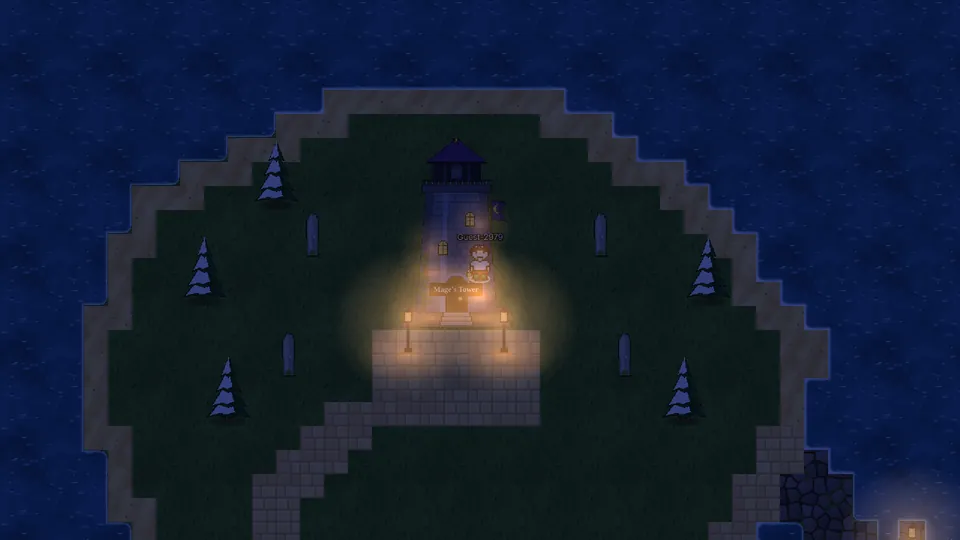
The Mage in the tower on Lantern Isle teaches your first spell (finish his Apprentice Test first). After that, every spell you cast gives Magic XP, and new spells open up as you level.
Cast by typing in chat: :cast-sparkle. Type :cast on its own to list your spells, or press C and click Magic to see them all by level.
Add a name to cast on someone near you: :cast-frog Kai. That works in Founders Village (and the Arena), on Lantern Isle and in the Mage’s tower, between signed-in players aged 18 and over. Spells wear off after a few seconds.
Paint spells (:cast-paint-gold) colour a scooter, bike or go-kart. Paint stays until it’s painted again; :cast-paint-plain puts it back.
Swift (Magic level 12, :cast-swift): walk and run half as fast again for a minute, on foot. Handy on long journeys.
Practise on the cows at Meadowford Farm: :cast-frog cow (or any spell you can cast on someone) hits the nearest cow within 8 steps, anywhere, no permission needed.
Chat shows what people near you cast ("Paul casts sparkle"). Spells above level 30 are for members.
Don’t want spells cast on you? Switch them off in the game’s Help, under Magic and spells. (Guests and under-18s can only cast on themselves, and nobody can cast on them.)
Back to the top ▲Combat Island and duels
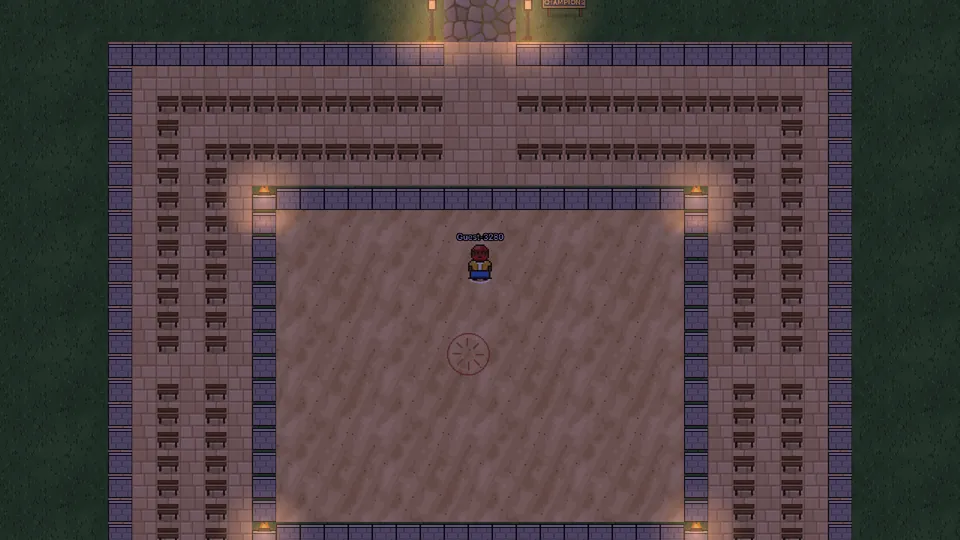
Combat Island is out at sea: it’s for members (paid or gifted). Take the ferry from Captain Rook at the end of Gullwater Bay pier. The Colosseum has seats for over a hundred people, so members can watch as well as fight.
To fight, click another player on the island and choose Challenge to a duel. If they accept, you’re both taken into the ring: 100 health and 100 mana each, and after a short countdown, it’s on.
Cast with the spell buttons, the number keys 1 to 0, or in chat (:cast-fireball). Click the sand to move. Mana comes back by itself; each spell has its own cooldown.
There are 30 combat spells, opening up as your Magic level grows: fire, ice, lightning, poison, arcane and shadow, plus Ward and Mirror Shield (soak up damage), Heal, and Blink (the next spell at you misses). Some freeze, snare or stun. They only work in a duel.
Bring food: press Eat on the fight panel to get health back, up to 3 times a fight, 5 seconds apart. A fish pie gives the most (22). See Cooking and baking.
First to 0 health loses. After 3 minutes, whoever has more health left wins. Give up any time. Leaving the island mid-fight counts as a loss.
Your wins and losses go on the Champions board by the Colosseum gate (Duelmaster Vex has it too).
Duels are for members aged 18 and over, and both fighters must agree. One fight in the ring at a time.
2v2 team battles: talk to Duelmaster Vex and choose 2v2 team battle, then join the red or blue team and wait in the lobby. When both sides have two players, you’re all taken into the ring. Click an opponent’s name on the fight panel to aim at them (your spells start on the nearest). On 0 health you’re out; when both on a side are out, the other side wins. After 3 minutes, the side with more health left between them wins. Wins go on the Team Champions board.
Back to the top ▲Keys
Arrow keys or W A S D walk (or click where you want to go).
M world map · Q quest log · B bag · E equipment · C skills and coins · H stable · P messages · F friends · R run · G dig · + / − zoom · ? this help · Enter chat
Back to the top ▲